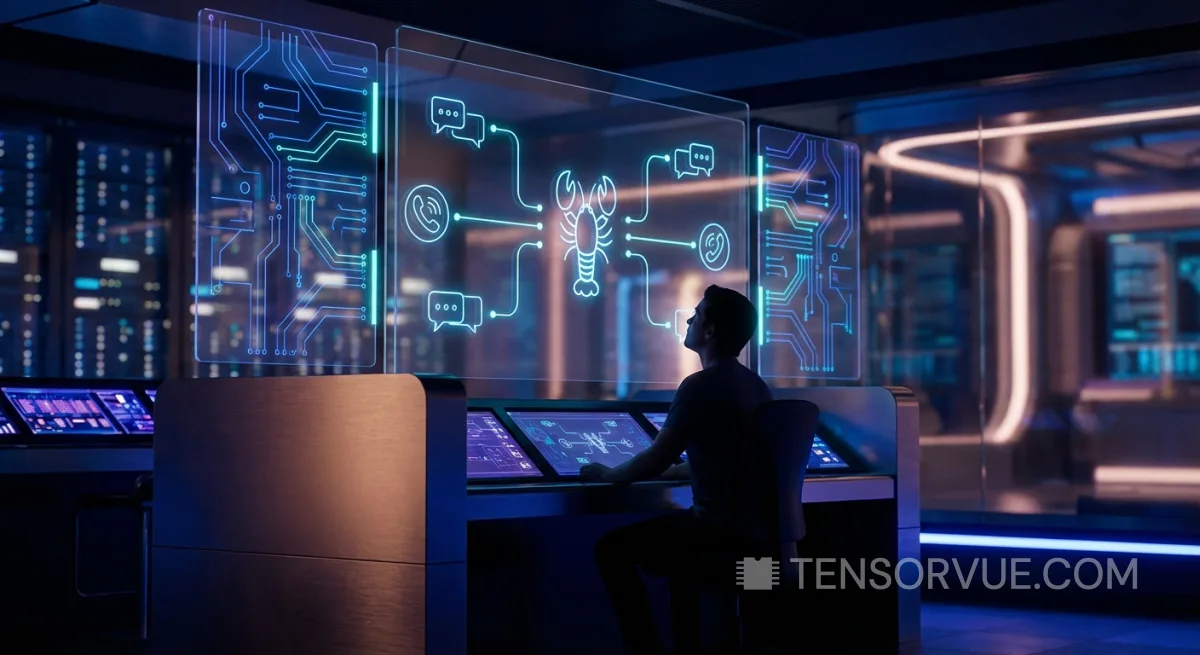
Inside OpenClaw: How the Open-Source AI Assistant Orchestrates 22+ Messaging Channels from a Single TypeScript Gateway
A deep architectural review of OpenClaw — the open-source personal AI assistant that runs locally on your devices and communicates through WhatsApp, Telegram, Discord, Signal, iMessage, and 17 other messaging platforms. We analyzed 95,000+ code chunks to understand how its Gateway, Agent Engine, and Memory System work together.
Source: OpenClaw GitHub
Key Takeaways
OpenClaw is a self-hosted AI assistant built as a TypeScript/ESM monorepo that routes AI responses across 22+ messaging channels through a central WebSocket-based Gateway. Its architecture features a Pi Agent Engine for AI reasoning with multi-model failover, a hybrid vector+BM25 memory system powered by sqlite-vec, and Docker-based sandboxing for security isolation.
In the rapidly evolving landscape of AI assistants, most solutions lock you into a single platform: ChatGPT lives in OpenAI's cloud, Copilot in Microsoft's ecosystem, Gemini in Google's. But what if you want an AI assistant that works across all your messaging platforms — WhatsApp, Telegram, Discord, Slack, Signal, iMessage — while running entirely on your own hardware? That's the premise behind OpenClaw, an ambitious open-source project that we decided to analyze from the inside out.
For this review, we didn't just read the documentation or run the software. We indexed the entire OpenClaw codebase — over 95,000 code chunks, 81,000+ symbols, and 400,000 cross-references — using Code Indexer, a local AI-powered code intelligence tool. This allowed us to perform semantic searches, trace function call chains, and verify architectural claims against the actual source code. What follows is a programmer's deep dive written for everyone.
What Is OpenClaw, Exactly?
OpenClaw is a personal AI assistant you install on your own computer (or server). Unlike cloud-based assistants, it runs locally as a background service and connects to the messaging apps you already use. You text it on WhatsApp, it replies. You message it on Discord, it replies there too. You can even talk to it through native apps on macOS, iOS, and Android with voice wake words — much like saying "Hey Siri," except Siri doesn't run bash commands on your server.
The project was created by Peter Steinberger, a well-known iOS developer and founder of PSPDFKit (now Nutrient). It evolved through several names — Warelay, Clawdbot, Moltbot — before settling on OpenClaw. The mascot is a space lobster named Molty, and the project's battle cry is the delightfully absurd "EXFOLIATE! EXFOLIATE!" (a nod to Doctor Who's Daleks). It is fully open-source under the MIT license.
But behind the whimsical branding lies serious engineering. OpenClaw is a TypeScript/ESM monorepo managed with pnpm, containing over 300 source files in the agent engine alone, 34 extension packages, native applications in Swift and Kotlin, and one of the most sophisticated plugin architectures we've seen in an open-source AI project.
The Architecture: A Gateway to Everything
OpenClaw's architecture revolves around a single concept: the Gateway. Think of it as a central switchboard — an HTTP and WebSocket server that sits between you (on any messaging platform) and the AI. Every message from every channel flows through this Gateway, which routes it to the right AI agent, manages sessions, handles authentication, and streams responses back.
This hub-and-spoke design is elegant for a crucial reason: it means you only configure the AI once. Your system prompt, skills, tools, memory, and security policies live in one place — the Gateway's configuration file (a JSON5 or YAML file at ~/.openclaw/openclaw.json). Every channel inherits these settings, while still allowing per-channel overrides like custom allowlists or group behavior rules.
The Channel System: 22+ Platforms, One Codebase
Perhaps OpenClaw's most impressive feature is its channel system. The project currently supports 22 messaging platforms, each integrated through well-known open-source libraries or official SDKs:
| Channel | Integration Method | Status |
|---|---|---|
| Baileys (Web protocol) | Built-in | |
| Telegram | grammY framework | Built-in |
| Discord | Carbon / discord-api-types | Built-in |
| Slack | @slack/bolt | Built-in |
| Signal | signal-cli bridge | Built-in |
| iMessage | macOS native bridge | Built-in |
| Web Chat | Express + WebSocket | Built-in |
| Microsoft Teams | Bot Framework | Extension |
| Matrix | matrix-js-sdk | Extension |
| Twitch | tmi.js | Extension |
| LINE | LINE Messaging API | Extension |
| Google Chat | Chat API | Extension |
| Nostr | Protocol integration | Extension |
| Zalo | Zalo API | Extension |
| Feishu (Lark) | Lark Open Platform | Extension |
| Mattermost | Mattermost API | Extension |
What makes this work architecturally is the Channel Framework (src/channels/). Every channel integration implements a common interface: it receives messages from users, normalizes them into a unified format, and passes them to the Channel Dock — a routing layer that determines which AI agent should handle the message. Responses flow back through the same path in reverse.
Each channel also has its own allowlist system for access control. By default, OpenClaw uses a "pairing" policy: when an unknown user sends a DM, they receive a short pairing code instead of an AI response. You approve the code from the command line (openclaw pairing approve <channel> ), and only then does the user get access. This prevents random strangers on WhatsApp from chatting with your AI assistant — a real concern when the assistant can execute shell commands on your server.
The AI Engine: Pi Agent Runner
At the heart of OpenClaw's AI capability is the Pi Embedded Runner — a sophisticated orchestration engine that manages the full lifecycle of an AI "turn" (receiving a message, generating a response, and handling any tool calls along the way).
When a message arrives, the Runner: (1) builds a system prompt by combining the agent's identity, loaded skills, workspace context, and channel-specific information; (2) selects the appropriate AI model based on configuration and availability; (3) streams the completion response from the model; (4) detects and executes tool calls (running bash commands, reading files, searching memory); (5) feeds tool results back to the model and continues the conversation.
The system prompt builder alone (system-prompt.ts) is a 32 KB file — reflecting the complexity of constructing context for the AI. It dynamically injects workspace skills, channel metadata (like whether the user is in a group chat versus a DM), and relevant memory snippets from the vector search system.
Model Support: 20+ Providers, Automatic Failover
OpenClaw doesn't lock you into any single AI provider. Our code analysis confirmed support for over 20 model providers, from the major cloud players to local LLM runtimes:
- Cloud Providers: OpenAI (GPT-5.4), Anthropic (Claude Opus 4.6), Google Gemini (3.1 Pro), xAI (Grok), Mistral, Groq, Cerebras
- Gateway Services: OpenRouter, Vercel AI Gateway, Kilo Gateway, GitHub Copilot
- Local Runtimes: Ollama, vLLM, LM Studio, and any OpenAI-compatible endpoint
- Specialty: Z.AI (GLM), Moonshot AI (Kimi K2.5), Volcano Engine (Doubao), BytePlus, Qwen, Synthetic, Hugging Face Inference
The failover system is particularly well-designed. OpenClaw supports multiple API keys per provider (via environment variables like OPENAI_API_KEY_1, OPENAI_API_KEY_2) and rotates between them when it encounters rate limiting (HTTP 429 responses). If a primary model fails entirely, it can fall back to a secondary provider — so if your Anthropic quota runs out at 2 AM, your assistant seamlessly switches to OpenAI.
The Memory System: Vector Search Meets Markdown Files
One of the most interesting engineering decisions in OpenClaw is its memory architecture. Unlike many AI assistants that use opaque databases, OpenClaw's memory is plain Markdown files. Your assistant's knowledge is stored in human-readable .md files in the workspace directory (~/.openclaw/workspace/memory/). There are two layers:
- Daily logs (memory/YYYY-MM-DD.md): Append-only notes from each day. The AI reads today and yesterday's logs at session start.
- Curated memory (MEMORY.md): Long-term knowledge — your preferences, decisions, durable facts. Only loaded in private (non-group) sessions.
But here's where it gets sophisticated: on top of these Markdown files, OpenClaw builds a vector search index using sqlite-vec — a SQLite extension for vector similarity search. This means the AI can semantically recall information even when the wording differs from what was originally stored. For projects that need more scalable vector storage, OpenClaw also offers a LanceDB extension (extensions/memory-lancedb) as an alternative backend.
Our analysis of the memory system (src/memory/manager.ts — a 26 KB file) revealed a hybrid search architecture that combines vector similarity with BM25 keyword relevance. Vector search excels at "this means the same thing" queries ("Mac Studio gateway host" matching "the machine running the gateway"), while BM25 catches exact tokens like error codes, environment variable names, and specific IDs. The two scores are merged with configurable weights, then optionally refined through two post-processing stages:
- MMR (Maximal Marginal Relevance): Re-ranks results to eliminate near-duplicate snippets, ensuring the AI gets diverse information instead of five copies of the same note.
- Temporal Decay: Applies an exponential multiplier based on age, so yesterday's notes rank higher than last year's. The default half-life is 30 days — a note from 6 months ago retains only about 1.6% of its original score.
There's also an automatic "memory flush" mechanism. When a session is nearing context window limits (before auto-compaction truncates the conversation), OpenClaw triggers a silent agent turn that reminds the AI to write important information to disk before it's lost. The AI writes durable notes to the Markdown files, then replies with NO_REPLY so the user never sees this housekeeping step. It's a clever solution to the fundamental problem of finite context windows.
Security: From DM Pairing to Docker Sandboxes
Running an AI assistant that can execute shell commands on your computer and is reachable via public messaging platforms is a serious security proposition. OpenClaw's security model reflects this reality with multiple defense layers:
- DM Pairing: Unknown users must present a pairing code before they can interact with the assistant. This prevents prompt injection from random internet users.
- Allowlists: Every channel supports per-user and per-group allowlists. You explicitly approve who can talk to your AI.
- Docker Sandboxing: For non-main sessions (group chats, public channels), OpenClaw can run tools inside per-session Docker containers. The bash tool executes inside Docker instead of on your host system.
- Tool Policies: Sandboxed sessions have an allowlist of safe tools (bash, read, write, edit) and a denylist of dangerous ones (browser, canvas, nodes, gateway).
- Exec Approval: Tools can be gated behind approval workflows, requiring explicit confirmation before executing sensitive commands.
The project also maintains a formal threat model document using the MITRE ATLAS framework — a structured approach to documenting threats specific to AI/ML systems. It covers the Gateway, the Agent Runtime, channel integrations, the ClawHub skill marketplace, and MCP server interactions. This level of security documentation is unusual for an open-source project and signals serious commitment to safe deployment.
Native Apps: macOS, iOS, Android
While the Gateway is the brain, OpenClaw also includes companion applications for Apple and Android platforms. The macOS app (written in Swift) provides a menu bar control plane with Voice Wake (trigger words like "Hey Molty"), push-to-talk, and a Canvas surface for agent-driven visual workspaces. The iOS app adds Voice Wake and Canvas on mobile, while the Android app (Kotlin) exposes device-specific commands like reading notifications, location, SMS, photos, contacts, and calendar.
These native apps connect to the Gateway via WebSocket and register as "nodes." The Gateway can then route device-specific actions to them: need a photo? The AI tells the iOS node to snap one. Need the user's location? It queries the Android node. The execution stays lightweight — these apps are sensor and display surfaces, not full runtimes.
The Plugin Ecosystem & Skills
OpenClaw includes a full-lifecycle plugin system with discovery, loading, manifest validation, and a sandboxed runtime. Plugins can contribute tools, hooks, services, and HTTP routes. The architecture follows a classic extension slot pattern: named extension points that plugins can fill.
Skills, in contrast, are lighter-weight additions — essentially SKILL.md files that provide specialized instructions and capabilities. They can be bundled with the project, installed from the ClawHub marketplace (clawhub.ai), or placed in the workspace directory. The project enforces a strong separation: most new capabilities should ship as ClawHub skills or external plugins, not as additions to the core codebase.
MCP (Model Context Protocol) support is also available through an external bridge called mcporter, which keeps MCP integration decoupled from the core runtime. This means you can add or swap MCP servers without restarting the Gateway — a pragmatic design choice that trades tighter integration for operational stability.
Project Statistics: By the Numbers
| Metric | Value |
|---|---|
| Primary Language | TypeScript (ESM) |
| Package Manager | pnpm (monorepo workspace) |
| Indexed Code Chunks | 95,767 |
| Indexed Symbols | 81,633 |
| Cross-References | 400,179 |
| Source Directories (src/) | 52 |
| Extension Packages | 34 |
| Messaging Channels | 22+ |
| AI Model Providers | 20+ |
| License | MIT |
| Runtime Requirement | Node.js ≥ 22 |
| Build System | tsdown (ESBuild-based) |
| Test Framework | Vitest |
| Config Schema Size | 56 KB (TypeBox + Zod) |
| Deployment Options | npm, Docker, Nix, from source |
How a Message Travels Through OpenClaw
To bring everything together, let's trace what happens when you send a WhatsApp message to your OpenClaw assistant:
Total latency depends on the AI model and tool execution. But note that responses stream in real-time — the user sees text appearing progressively, just like typing indicators in a normal chat. OpenClaw handles chunking and rate-limiting per channel, since some platforms (like WhatsApp) have message length limits.
What Sets OpenClaw Apart
Having analyzed the codebase in depth, several design decisions stand out:
- Local-first philosophy: Your data stays on your machine. Memory is Markdown files. Sessions are JSONL logs on disk. No cloud database, no telemetry.
- Channel breadth: No other open-source AI assistant comes close to 22+ messaging platform support. The Channel Dock abstraction makes adding new platforms relatively straightforward.
- Memory-as-Markdown: Using plain text files as the memory source of truth, with vector search layered on top, is both practical (you can edit your AI's memory with any text editor) and philosophically transparent.
- Security-by-default: DM pairing, Docker sandboxes, and formal threat modeling show a maturity unusual for a project of this age.
- Model agnosticism: With 20+ providers and automatic failover, OpenClaw avoids vendor lock-in completely.
Limitations and Considerations
No review would be complete without addressing the trade-offs. OpenClaw requires Node.js 22 or later and is currently terminal-first — meaning initial setup involves running CLI commands, which may deter less technical users. The WhatsApp integration uses the unofficial Baileys library (reverse-engineered Web protocol), which carries some risk of Meta enforcement. The project is also primarily a single-user assistant; while multi-agent routing exists, it's designed for one operator managing multiple personas, not a multi-tenant deployment.
The codebase is large and moves fast. Our analysis captured version 2026.3.8, and the CHANGELOG.md alone is 665 KB — indicating extremely rapid development. This velocity is impressive but can make it challenging for new contributors to keep up. The project explicitly discourages PRs over 5,000 lines and large batches of tiny PRs, suggesting they've learned from scale pains.
Conclusion: The Most Ambitious Open-Source AI Assistant
OpenClaw is not the simplest AI assistant to set up. It's not the most polished. But it might be the most architecturally ambitious. The combination of 22+ messaging channels, 20+ model providers, vector-augmented memory, native mobile apps, Docker sandboxing, and a full plugin system — all in a single MIT-licensed monorepo — represents an engineering effort that rivals commercial products from companies with far more resources.
For developers and power users who want an AI assistant that respects their privacy, runs on their hardware, and works across every platform they use, OpenClaw is currently the most compelling open-source option available. The project is young, fast-moving, and occasionally rough around the edges — but the architecture is sound, the security model is serious, and the community (led by a proven open-source veteran) is active and growing.
Whether you deploy it today or watch it from the sidelines, OpenClaw represents a fascinating template for what personal AI infrastructure might look like when it's built by and for the people who use it.
Methodology
This analysis was conducted by indexing the complete OpenClaw source code (version 2026.3.8) with Code Indexer — a local AI-powered code intelligence tool that creates semantic embeddings for entire codebases. The indexed corpus comprised 95,767 code chunks, 81,633 symbols, and 400,179 cross-references. We performed semantic searches across the codebase to verify architectural claims, traced call chains between components, and cross-referenced the source code with the official documentation. All diagrams and statistics were derived from direct code analysis, not from promotional materials.
Code Indexer (codeindexer.dev) enables this kind of deep codebase analysis by providing vector search, symbol navigation, and reference tracking for any project, regardless of language. If you want to perform similar deep dives on open-source projects, it's available as a free local tool.